

Notifications
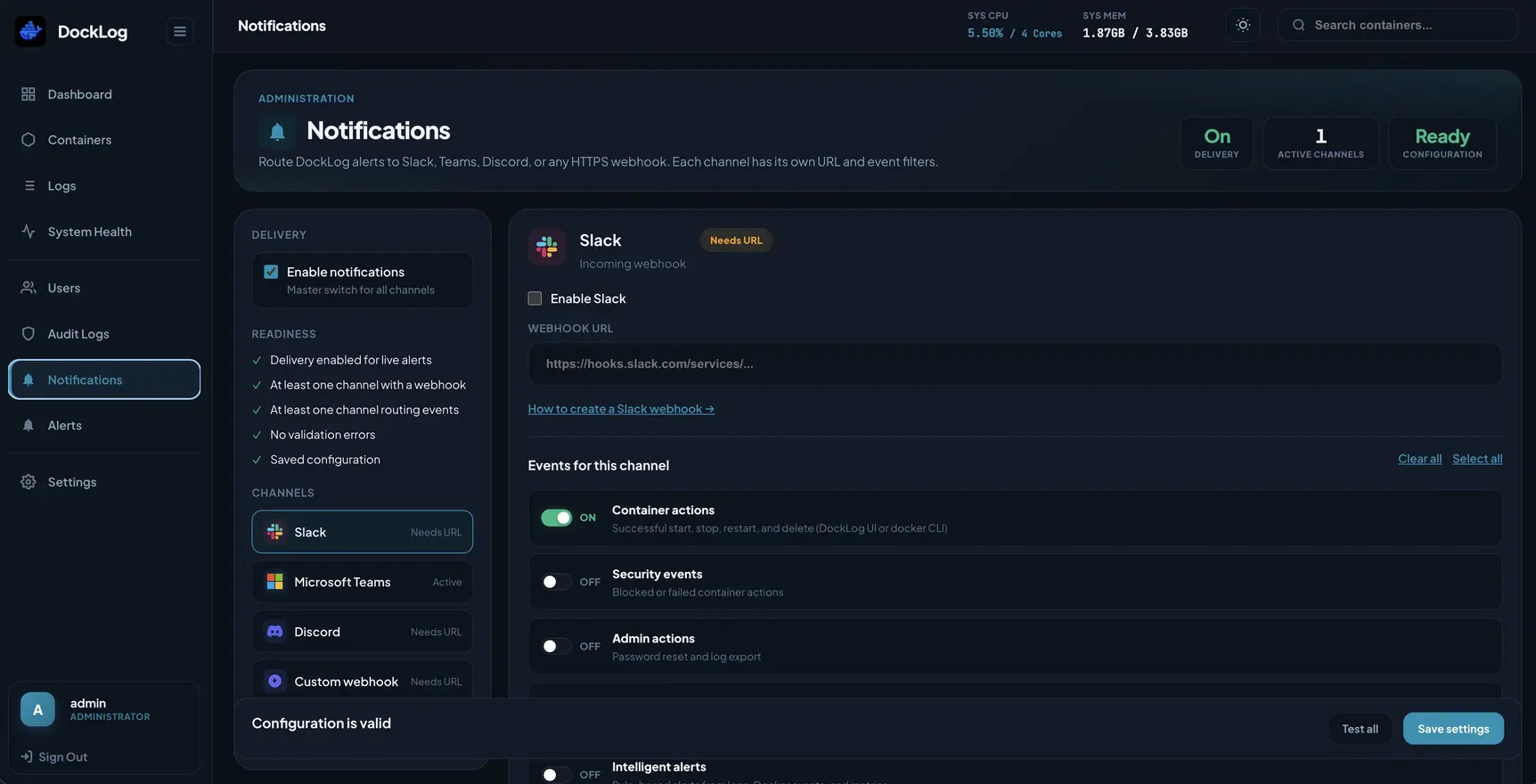
Admins configure webhook delivery from Admin → Notifications in the Vue UI. Configure channels here first, then enable rules under Admin → Alerts.
Supported channels
Channels
Slack, Microsoft Teams, Discord incoming webhooks, and custom HTTPS endpoints (PagerDuty, n8n, Zapier, your own service).
Master switch
Turn delivery on or off globally. DockLog can auto-enable delivery when channels are configured on first setup.
Notification channels
Add webhooks for Slack, Teams, Discord, or a custom URL.
Event types
- Workload actions: start, stop, restart, delete on containers or pods from the UI or host CLI.
- Security events: blocked or failed container or pod actions.
- Admin actions: password reset and log export.
- Health check alerts: Docker HEALTHCHECK failures and recovery.
- Intelligent alerts: fired rules from Admin → Alerts.
Test before you rely on it
Use the per-channel test button after saving a webhook. Delivery must be enabled and container actions checked for restart/stop/start alerts.
Email (SMTP) delivery is planned.
Edit or suggest changes on GitHub.